

1. On Mac Desktop Press: command + space – The follow should appear.

2. Type in field which appears “Audio Midi”. Audio midi setup should then appear. Select and open it by clicking on it.

3. When you do the following window will open:
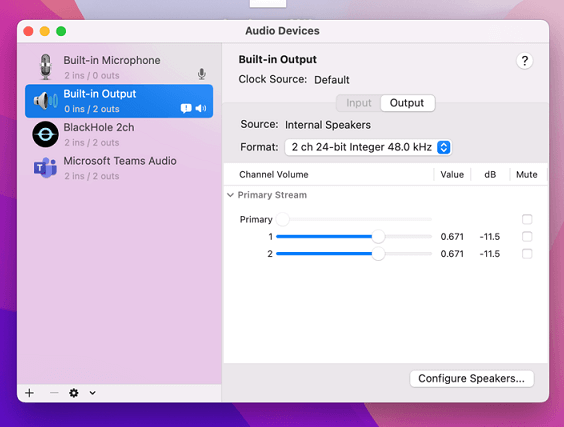
4. On the bottom left corner click “+” button: Select “Create Multiple output device”. Click on it:
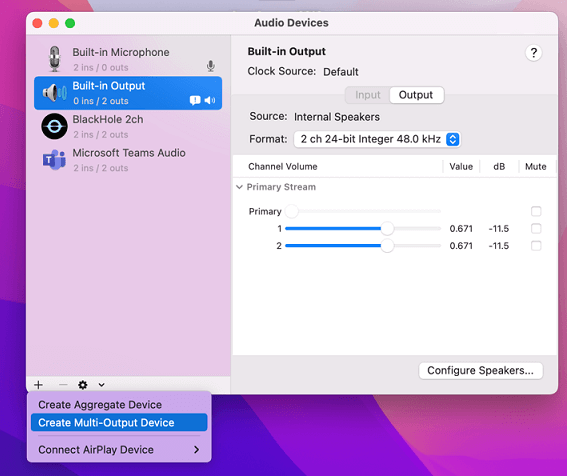
5. This will create a MOD (multiple output device) as shown below.

6. On right side deselect the checkbox next to the audio output device you are currently using, then select Blackhole 2ch, then the audio output device you deselected.
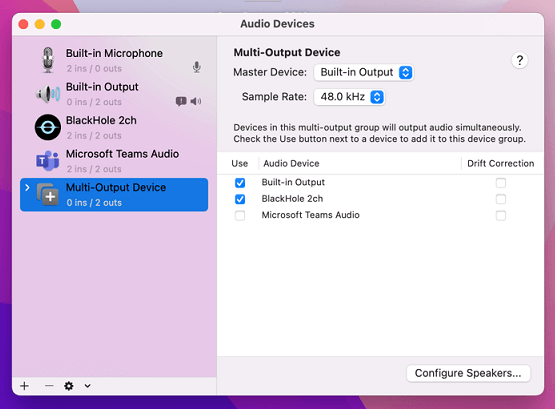
7. Now blackhole and audio output will be selected. Next we need to rename this MOD, because SS will recognize it by name.
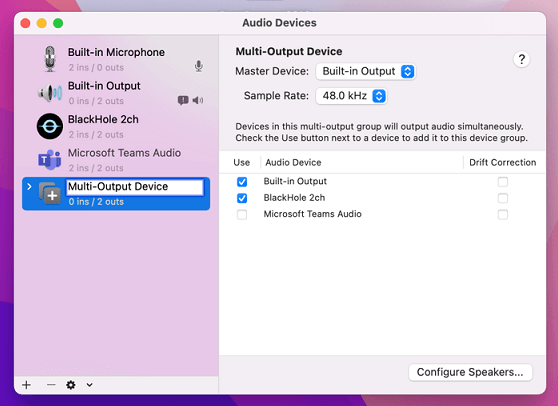
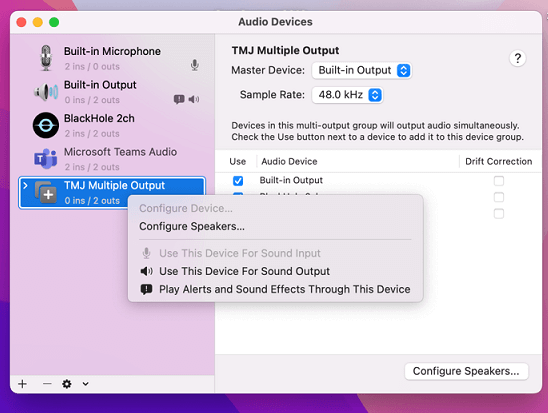
8. Next type or paste the name “TMJ Multiple Output” EXACTLY as shown with Caps as shown.

9. Then right click on the newly named TMJ Multiple Output device (but not on name, because that will open the wrong menu) and select “Use this device for sound output”. The initial configuration is completed. Now close this window on your screen
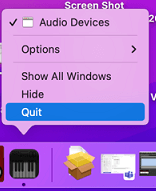
10. Lastly check your task bar and make sure the Audio Midi device is closed there. If not, please close it there.
11. You have finished the manual set up for the use of BlackHole. Please open SS again and try using the Audio Stream Capture.