

AI stem separation tools are becoming more popular across the web, giving musicians the ability to isolate instruments from full mixes for practice, transcription, remixing, and ear training. Most AI stem separation websites focus on the same core instruments: vocals, guitar, piano, drums, and bass.
But until now, one important instrument has been missing. TMJ Software introduces the world’s first and only banjo-specific stem separation tool—an AI-powered system designed to isolate banjo from a full mix so you can hear exactly what is being played.
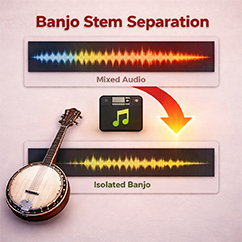
Banjo stem separation is the process of extracting the banjo part from a complete song that may also contain vocals, fiddle, guitar, bass, drums, and other instruments. Instead of trying to pick the banjo out of a dense arrangement by ear, you can use AI to separate it from the rest of the mix.
That means you can upload a song and get:
 the original mixthe isolated banjothe full mix without banjo
For banjo players, teachers, students, and transcribers, this is a major breakthrough. It makes it easier to study banjo rolls, backup, fills, solos, timing, phrasing, and note choices without fighting the rest of the arrangement.
TMJ Software’s AI banjo isolation tool is built for real-world music. Just drop in a full mix—whether it includes guitar, fiddle, bass, drums, vocals, or other instruments—and the system will attempt to pull the banjo out of the track. No AI instrument isolation system is perfect, and results will vary depending on the song, mix quality, arrangement, and how prominently the banjo appears. But in most cases, the results are clean, usable, and highly effective for learning and practice.

If your goal is to:
 hear the banjo more clearly learn a banjo part from a recording create a backing track with the banjo removed transcribe notes faster practice along with the rest of the band
then banjo stem separation can save time and make practice sessions much more productive.
The best way to judge any AI stem separation tool is to hear the output. You can hear one of these below:
On our website, you can listen to three additional example songs with banjo. Each song includes three audio files:
the original full mix the isolated banjo the full mix without the banjo
These examples let you hear exactly how the system performs on real music and compare the before-and-after results for yourself.
If you want to test AI banjo stem separation with your own music, visit our website and try the web-based tool. You can hear example tracks first, then create a free account to upload a song and see how well the system isolates banjo from your mix. For musicians searching for a banjo remover, banjo isolator, or AI tool to separate banjo from a song, this is a unique solution you will not find anywhere else.

If you would rather not jump between web tools, VRII is fully integrated into Song Surgeon 6 Pro. That means you can isolate banjo—and other supported instruments—directly inside the software without bouncing between platforms.
This integrated workflow makes it easier to go from instrument isolation to slowing down audio, looping sections, analyzing notes, and practicing difficult passages all in one place. If you do not already have Song Surgeon 6 Pro, download the demo and take it for a test drive.
The rise of AI music tools has made instrument isolation more accessible than ever, but nearly all platforms still focus on the same standard stems. TMJ Software changes that by offering the first banjo-specific stem separation tool, giving banjo players a practical way to isolate, study, and learn banjo parts from real songs. If you have been looking for a way to extract banjo from a mix, remove banjo from a song, or hear the banjo part more clearly, this tool was built for exactly that purpose.

