

FREE ONLINE TOOL BY SONG SURGEON
Upload a song and get its estimated tempo in beats per minute. Use the result to set a practice pace, compare recordings, or plan a mix.
Sign in or confirm your email to use the finder. The server analyzes up to the first 3 minutes and returns the BPM here.
Want to change the tempo after finding it? Try the online key and tempo changer or explore Song Surgeon 6 for desktop.
Loading the finder…
Create your free access or sign in.
Or continue with
Open the sign-in email from Song Surgeon and select Confirm email and sign in. Keep this tab open; it will update after confirmation.
Check your spam folder too. The link expires in 30 minutes.
ESTIMATED TEMPO
Listen to the beat to confirm the result. Some songs can be counted at half or twice this tempo.
Need the musical key as well? Upload your recording to the free Song Key Finder for a separate major or minor key estimate.
FROM AUDIO FILE TO TEMPO
Enter your name and email, then confirm the email link. You can also use Google, Microsoft, or Yahoo. No purchase or payment details are required.
Choose a supported file from your device and select Find BPM. Use a recording with at least 5 seconds of music and a clear rhythm.
The estimated tempo appears on this page when analysis finishes. Each account can start up to 5 file analyses in any 60-minute period.
Audio is sent to the server for analysis. Uploaded files and temporary analysis copies are removed after processing; a cleanup job removes interrupted uploads. This finder returns a BPM value and does not edit your original recording.
BPM means beats per minute. A steady track at 120 BPM has two beats per second. The number describes how fast you count the underlying pulse, rather than every drum hit or note.
This finder analyzes your uploaded recording. It does not search a catalog by song title or artist, so you can use it with your own recordings as well as music files in your library.
Some rhythms support more than one way of counting the pulse. A recording estimated at 80 BPM may feel natural at 160 BPM. Compare the result with the beat you hear before setting a metronome or matching another track.
Live performances, rubato, long introductions, and changes of tempo can make one BPM value less representative. The finder uses up to the first 3 minutes. For a recording with a quiet introduction, try a short excerpt from a section with a clear beat.
TAKE THE NEXT STEP WITH SONG SURGEON 6
Song Surgeon 6 for Windows and Mac combines tempo controls with pitch adjustment and audio looping. Slow down a difficult passage, repeat it, and work toward the original speed.
Basic, Standard, and Pro all include tempo detection, tempo changes, and looping. See the desktop BPM detector guide for detection settings and edition details.
The desktop demo provides 4 hours of use. This online BPM finder is a separate free tool.
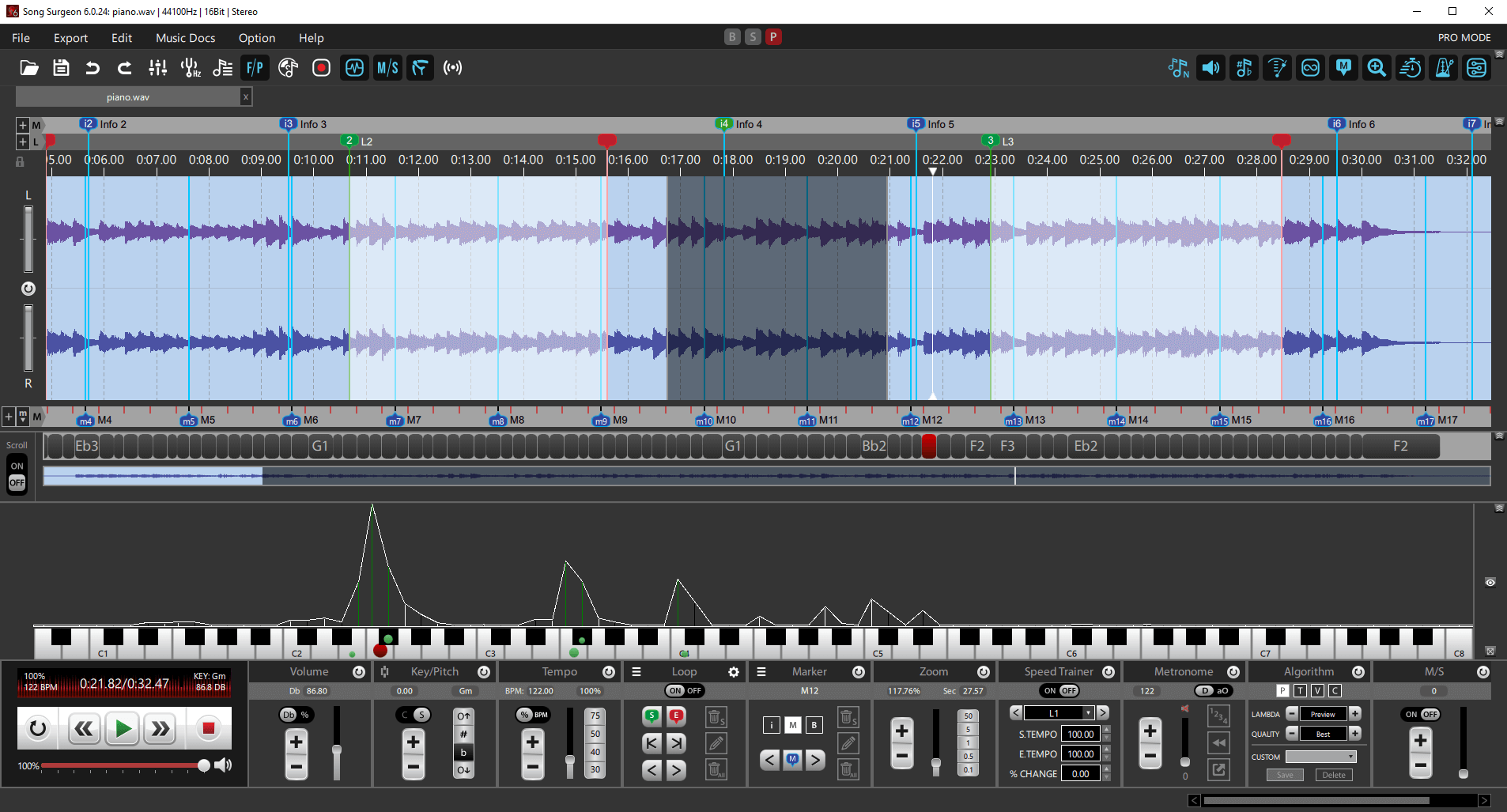
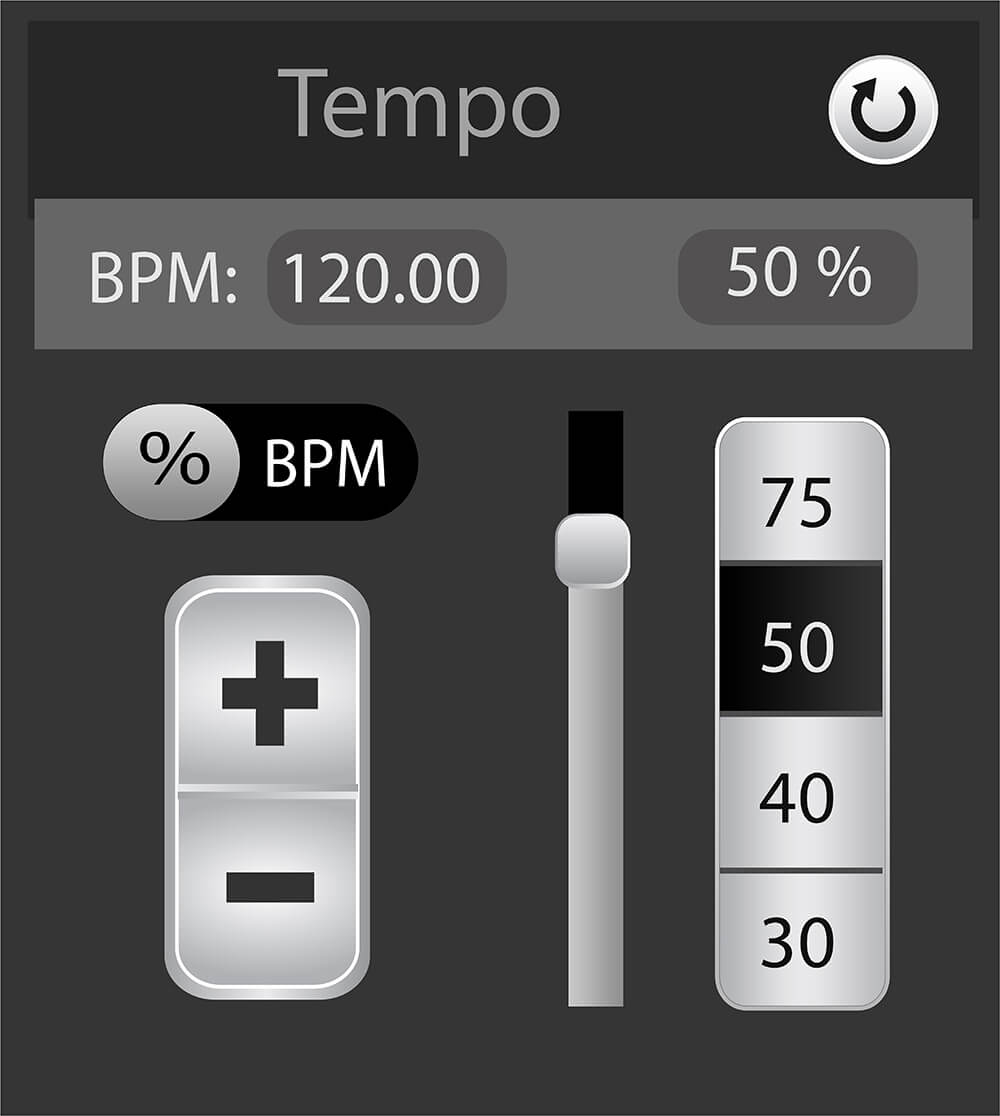
If your song is 120 BPM, practicing at 75% speed gives you 90 BPM. Use Song Surgeon’s tempo controls to slow the music while keeping its pitch, then build speed as the passage becomes comfortable.
An audio loop helps you focus on one phrase. You can also open the online key and tempo changer when you want to adjust a track in your browser. That service has its own usage terms.
Yes. After signing in, you can start up to 5 analyses in any 60-minute period at no charge. The quota gradually becomes available again as earlier analyses fall outside the last hour. You do not need a paid Song Surgeon license.
This form accepts an audio file from your device. It does not accept streaming links or search by song name.
It returns an estimate. A strong, steady beat is easier to analyze than changing tempos or music without a clear pulse. Check half-time and double-time interpretations, and listen before using the result for a mix or metronome setting.
No. The tool analyzes a temporary copy and returns a number. Your original file on your device stays unchanged.