

SONG SURGEON 6 · WINDOWS & MAC
Open a song in Song Surgeon 6 to detect its beats per minute automatically. Use that tempo to slow down difficult passages, repeat a section, and build up to full speed.
Desktop software · BPM detection in Basic, Standard & Pro
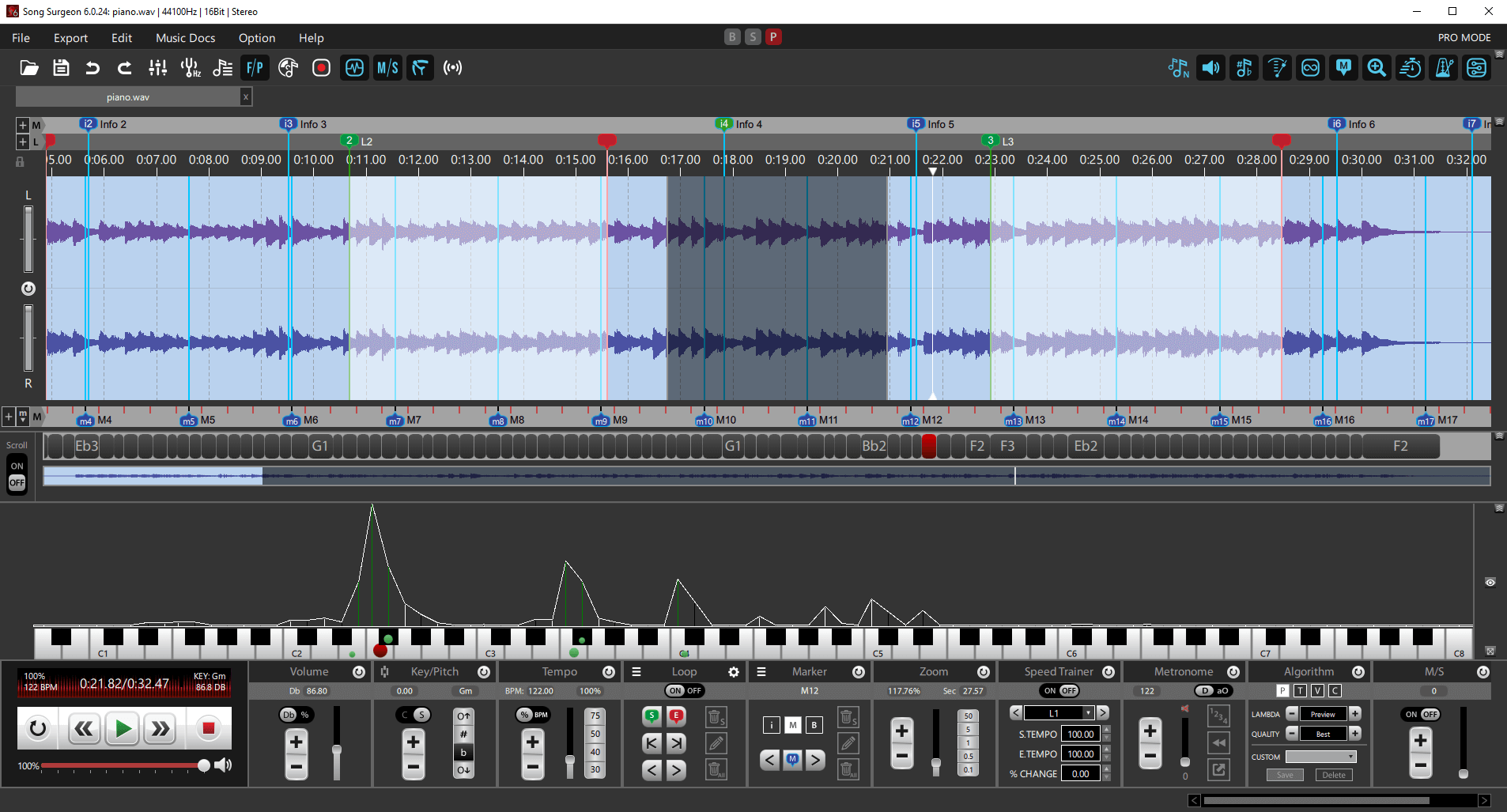
Detect the tempoAutomatic analysis when a song opens
Choose your practice speedWork in BPM or a percentage
Keep working with the musicLoop passages and export your changes
Need a quick online result? Use the free Song BPM Finder to upload an audio file and estimate its tempo, with up to 5 analyses per hour after signing in.
UNDERSTAND THE NUMBER
A BPM detector analyzes an audio recording to estimate its tempo in beats per minute. At 60 BPM, one beat falls every second; at 120 BPM, two beats fall every second.
A song BPM finder gives you a useful starting point for a practice session, transcription, or rehearsal. Song Surgeon brings that reading into the same workspace where you can listen, loop, and change playback speed.
FROM AUDIO FILE TO TEMPO
Use the folder button or File → Open New Audio/Project File to select a song, such as an MP3 or WAV. Song Surgeon analyzes its tempo as the file opens.
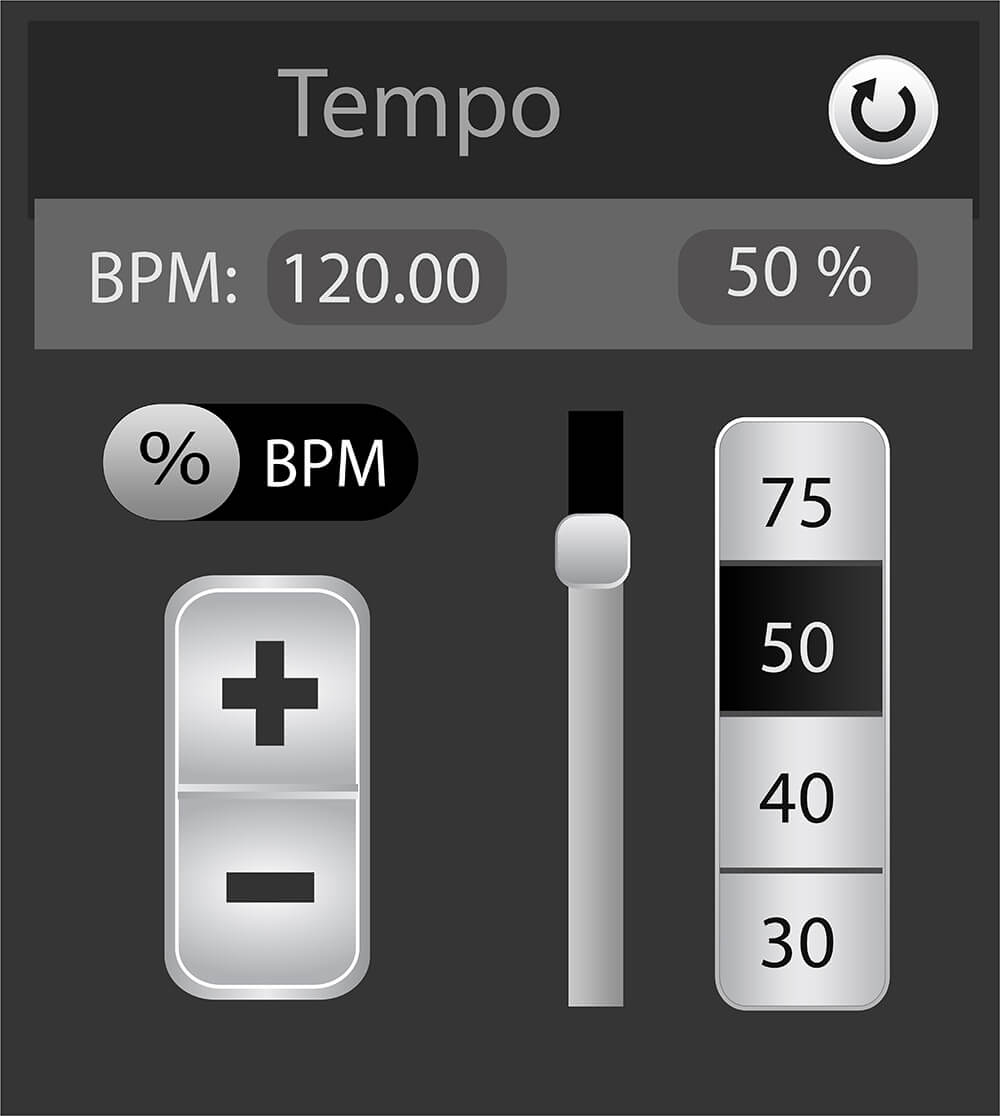
Look for the BPM value above the playback controls. Open the Tempo module to see BPM alongside the speed percentage.
Listen to a section with a clear beat. If a high-BPM dialog offers the detected value and a half-time alternative, choose the pulse that matches how you count the music.
Use the Tempo module’s BPM/% toggle and adjustment controls. Create a loop around a difficult passage to repeat it, or use Export when you want a separate audio file with your changes.
For detailed controls, see the Song Surgeon 6 User Guide.
MAKE SENSE OF THE RESULT
A recording can suggest more than one counting level. A detector may follow a quicker pulse while you count the slower beat: 80 BPM and 160 BPM have a half-time/double-time relationship.
Start by tapping along to the main pulse. For a steady passage, counting beats for 30 seconds and multiplying by two gives a simple manual check. Listen through more than one section if the performance changes tempo.
Clear, regular rhythms are easier to measure than loose timing or music with little rhythmic emphasis. Treat the reading as an estimate to check against the music. Song Surgeon’s beat-detection notes explain these limitations further.
PUT THE TEMPO TO WORK
If a recording starts at 120 BPM, playing it at 75% gives you 90 BPM. Choose a speed at which you can play the passage cleanly, then work upward.
| Playback speed | Resulting tempo |
|---|---|
| 50% | 60 BPM |
| 75% | 90 BPM |
| 100% | 120 BPM |
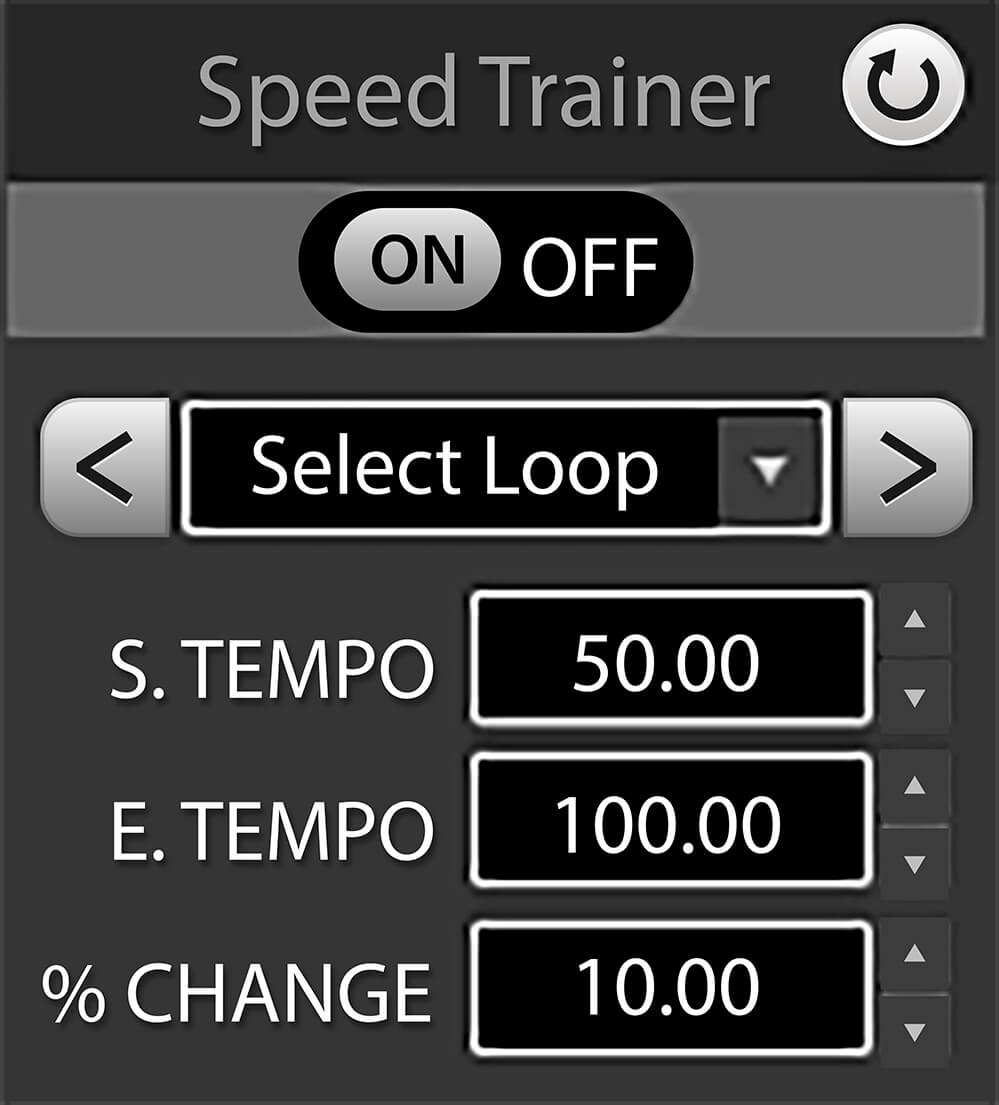
Use audio loops to focus on a phrase instead of restarting the whole song. In Standard and Pro, Speed Trainer can change a loop’s tempo automatically between a starting and ending percentage.
For example, start at 60%, end at 100%, and use a 5-percentage-point change per repeat. Adjust the starting point to your ability; the goal is controlled repetition.
Find the starting tempo, slow a difficult riff, and repeat the section while keeping the song’s key.
Give bandmates a tempo reference and create a slower practice copy with Export.
Repeat a short passage to hear note placement and rhythm when transcribing music.
CHOOSE YOUR EDITION
Basic, Standard, and Pro all include tempo detection, BPM/percentage display, tempo changes, looping, and audio export. Choose an edition based on the practice tools you want alongside the detector.
| Feature | Basic | Standard | Pro |
|---|---|---|---|
| Automatic tempo detection | Yes | Yes | Yes |
| BPM / % display & tempo change | Yes | Yes | Yes |
| Looping & audio export | Yes | Yes | Yes |
| Speed Trainer | No | Yes | Yes |
| Built-in metronome | No | No | Yes |
See the full feature comparison for format support, edition limits, and optional add-ons.
Yes. Open the file in Song Surgeon 6 and read the tempo after analysis. Additional formats and some format support depend on the edition; check the feature comparison before choosing a version. FLAC support is listed for Pro.
Detection gives you a tempo reading. Changing playback speed is a separate action. When you want a new audio file with tempo changes applied, use Export and choose a separate output filename.
This page describes BPM detection in the Song Surgeon 6 desktop app for Windows and Mac. Install the demo to analyze your audio files. If you only need to adjust a file’s playback speed in a browser, try the separate online key and tempo changer.
Song Surgeon is paid software with a free demo offering four hours of use. Get the demo to check the workflow with your own recordings, or view the current editions and prices.
A single number is a starting reference. Live performances, tempo changes, and expressive timing can have different speeds in different passages. Listen to the section you are practicing instead of assuming that one reading describes every beat.
BPM describes tempo; key describes pitch relationships. Song Surgeon 6 includes key detection as a separate feature. If you need to transpose a recording, see our guide to audio pitch changing.
SONG SURGEON 6
Bring tempo detection, speed control, and looping into your next practice session.